Your Own Cloud: The Case for Network-Attached Storage
Podcast: Download
TEC338: What exactly is a NAS — and should you have one? Dom Bettinelli and Joanne Mercier break down network-attached storage from first principles, making the case for why owning your storage might be smarter than renting space from Apple, Google, or Dropbox indefinitely.
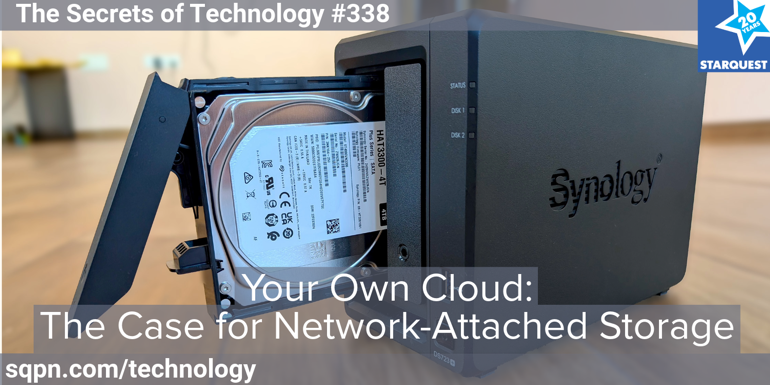
A NAS is a small, specialized computer — typically a box with one or more hard drives — wired to your home router and accessible from any device on your network. Think of it as a personal cloud: same convenience as iCloud or Dropbox, but the data is yours, on your hardware, under your control.
Both Dom and Joanne run Synology units from real-world experience. Dom uses his to archive 12–15 terabytes of show production files and run home automation via HomeBridge. Joanne uses hers as a media server and DVR — running Plexalongside an HD HomeRun antenna unit — and keeps a duplicate at her parish collaborative for faith formation materials.
The conversation covers practical territory: who actually needs a NAS (families with lots of photos and video, media collectors, anyone tired of paying multiple cloud subscriptions) and who probably doesn’t. They walk through drive selection — NAS-rated drives like the Seagate IronWolf are built for continuous operation, unlike standard desktop drives — and RAID configuration: mirroring protects against a single drive failure, but redundancy is not the same as backup. Synology’s HyperBackup can push data to Amazon Glacier or Backblaze B2 for true off-site protection.
On cost: an entry-level two-bay NAS with drives runs $400–700 — roughly what two terabytes of cloud storage costs over five years — with no subscription increases after that. Setup is closer to 30 minutes than a computer science degree, especially now that AI tools can walk you through any sticking point in plain English.
They also weigh Plex vs. Jellyfin (Plex’s recent corporate moves and the disappearance of lifetime memberships are raising eyebrows), discuss hot-swapping a failed drive without downtime, and cover security basics: strong passwords, two-factor authentication, and keeping system software updated. Recommended brands: Synology, QNAP, and the newer Ugreen.
 Apple Podcasts
 YouTube
 Spotify
 Amazon Music
 TuneIn
 RSS
RSSGet all new episodes automatically and for free:
Follow by Email | Listen to this episode and subscribe on YouTube.
Help us continue to offer Secrets of Technology. Won’t you make a pledge at SQPN.com/give today?
Links for this episode:
- iCloud
- Dropbox
- Google One
- Microsoft OneDrive
- Plex
- Jellyfin
- HomeBridge
- Home Assistant
- Time Machine
- Windows File History
- Synology Active Backup for Business
- Synology HyperBackup
- Amazon Glacier
- Backblaze B2
- HandBrake
- Silicon Dust HD HomeRun
- Channels DVR
- Synology
- QNAP
- Ugreen
- Intoxalock
- Waymo
- Cyberattack on a Car Breathalyzer Firm Leaves Drivers Stuck | WIRED
- Mark Zuckerberg builds AI CEO to help him run Meta
- Trapped! Inside a self-driving car during an anti-robot attack
- Leave us a review on Apple Podcasts!
- Join the conversation at the StarQuest Facebook page.
- Be part of the StarQuest Discord community at SQPN.com/discord
- Email us feedback or comments to [email protected]
Picks of the Week:
- Joanne: Seagate IronWolf NAS Internal Hard Drive
- Dom: MacBook Neo
Want to Sponsor A Show?
Support StarQuest’s mission to explore the intersection of faith and pop culture by becoming a named sponsor of the show of your choice on the StarQuest network. Click to get started or find out more.
Disclaimer: Hosts, panelists, and guests may have a financial interest in the companies discussed through investments or other means. Their opinions and recommendations are not affected and do not present a conflict of interest. We offer this statement in the interest of full disclosure.