The Mobile Office: Best Gear for Working on the Road
Podcast: Download
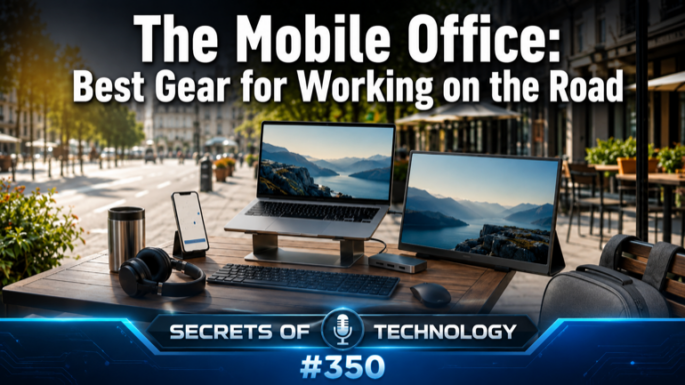
TEC350: Cramped keyboards, small screens, and missing ports—those are the three things that turn a coffee shop or hotel room from a workplace into a frustration. Dom Bettinelli and Leo Devick work through the best gear for building a real mobile office setup anywhere you happen to land.
On keyboards, the options run from the slim Logitech Keys-to-Go (Apple-friendly, $80, three-device Bluetooth pairing) to the Keychron K3 Max for anyone who refuses to give up the feel of a mechanical keyboard on the road ($82, customizable switches, Bluetooth or USB-C). For true minimalists, the ProtoArc XK01 trifold collapses small enough to fit in a coat pocket and unfolds into a full 105-key layout with a five-month standby battery—though it needs a flat surface to stay open.
Portable monitors have matured into a legitimate laptop travel setup accessory. The ASUS ZenScreen (15.6″, 1080p, single USB-C cable, $150) is the practical entry point. The ASUS QHD portable ($400, 2560×1600, HDR400, 120Hz) serves photographers and designers who need accurate color on the road. And Mobile Pixels Duet is the category’s conversation piece—a dual sidecar system that clamps to either side of a laptop screen, delivering three screens in total for around $700–800.
Laptop stands make the rest possible: raise the screen to eye level, add an external keyboard, and the posture problem is solved. The Roost Stand folds to the size of a baton at six ounces (carbon fiber, $70–100); the Nexstand K2 covers a slightly wider height range for about $40.
Mice cover both ends of the spectrum: the Logitech MX Anywhere 3S ($60, any-surface tracking including glass, 70-day battery, three-device switching) and the Logitech Pebble 2 M350S ($20, pocket-sized) for when portability is the only requirement. USB hubs close the connectivity gap—the Anker 555 ($50, 100W power delivery, 4K HDMI, Ethernet) handles most road scenarios, while Satechi’s MagSafe-compatible 7-in-1 hub snaps directly to the back of a USB-C iPhone or iPad.
The caveat tying everything together: USB-C is the shape, not the spec. Not every USB-C port carries Thunderbolt or DisplayPort—confirm your laptop’s port capabilities before expecting single-cable video and power delivery.
This week’s picks: Leo recommends Lenovo Smart Connect, which turns an Android tablet or phone into a wireless secondary monitor with no cables or ports consumed. Dom picks a Markdown plugin for Microsoft Word ($30, buy-once), useful for pasting AI output from tools like ChatGPT, Claude, or Gemini directly into a Word document with formatting intact.
 Apple Podcasts
 YouTube
 Spotify
 Amazon Music
 TuneIn
 RSS
RSSGet all new episodes automatically and for free:
Follow by Email | Listen to this episode and subscribe on YouTube.
Help us continue to offer Secrets of Technology. Won’t you make a pledge at SQPN.com/give today?
Links for this episode:
- Logitech Keys-to-Go 2
- Keychron K3 Max
- ProtoArc XK01 Tri-Fold
- Keychron K3 Version 3
- ASUS ZenScreen MB16AHV
- ASUS ZenScreen MB16QHG
- Monduo Pro Duo
- Roost V3
- Nexstand K2
- Logitech MX Anywhere 3S
- Logitech Pebble 2 M350s
- HyperDrive Tube 6-in-1
- Anker 555 USB-C Hub (8-in-1)
- Satechi OntheGo 7-in-1
- Tom’s Hardware — Best Wireless Keyboards
- Tom’s Hardware — Best Portable Monitors
- Tom’s Hardware — Best Wireless Mouse
- Pack Hacker — Best Wireless Keyboard
- Freaking Nomads — Best Portable Laptop Stands
- The Gadgeteer — Best Laptop Stand 2026
- Engadget — Best USB-C Hub 2026
- Cult of Mac — ProtoArc XK01 Review
- ASUS ZenScreen Buying Guide 2026
- Leave us a review on Apple Podcasts!
- Join the conversation at the StarQuest Facebook page.
- Be part of the StarQuest Discord community at SQPN.com/discord
- Email us feedback or comments to [email protected]
Picks of the Week:
Want to Sponsor A Show?
Support StarQuest’s mission to explore the intersection of faith and pop culture by becoming a named sponsor of the show of your choice on the StarQuest network. Click to get started or find out more.
Disclaimer: Hosts, panelists, and guests may have a financial interest in the companies discussed through investments or other means. Their opinions and recommendations are not affected and do not present a conflict of interest. We offer this statement in the interest of full disclosure.