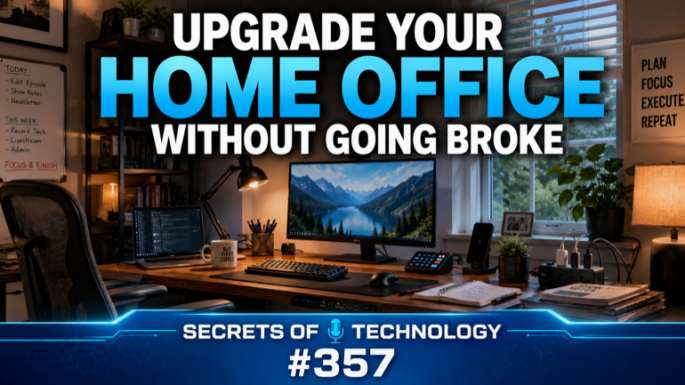
Upgrade Your Home Office Without Going Broke
Podcast: Download
TEC357: Every desk setup video on YouTube ends up in the same room. Walnut slab desk. Slat wall. One plant, one mechanical keyboard, one perfectly centered ultra-wide monitor on an aluminum arm — and not a single piece of paper anywhere. As Dom puts it, quoting someone who nailed it: a beautiful room that nobody works in, and a look with a shopping list attached.
Dom Bettinelli and Joanne Mercier spend this episode on the question those videos never ask. The $3,000 desk and the $1,500 chair aren’t scams — they’re genuinely good. But almost nobody listening edits video for a living, and the real question isn’t “is it good,” it’s “is it good for me?”
So they work through how to set up a home office on a budget, area by area: the hype pick, the sensible pick that does 85% of the job, and Joanne’s third option, which is MacGyvering something you already own.
Start by taking stock. Sit at your desk for ten minutes and pay attention. Are your shoulders up around your ears? Do your wrists hurt after a while? Do your feet dangle? Then decide whether this is a desk you work at eight hours a day or one you use in the evenings — because that changes what’s worth spending.
Chairs and desks. Dom puts the chair first; Joanne puts the desk first, since the desk decides what the chair has to match. They cover whether an expensive office chair is worth it — a Herman Miller Aeron will outlast you, and there are cheap alternatives to a Herman Miller Aeron in the FlexiSpot range, plus the used market. Joanne’s chair is twenty-eight years old and still fine. Desk depth gets more attention than width, because correct monitor height and distance means about an arm’s length away and the top of the screen at or just below eye level.
Power, safely. Never run one power strip into another. Dom walks through Anker’s desk-clamp Nano Power Strip and retractable-cable charging station; Joanne splits her gear across two strips, one always-on and one switched.
Lighting. A bias light behind the monitor cuts eye strain. A monitor light bar puts task light on the desk without glare — and the $40 option does what the $200 one does, minus presence sensing.
Then the small stuff that actually matters: desk mats, wrist rests, footrests, foam panels versus real soundproofing, plants (they don’t clean your air), fans, bins over cabinets, monitor arms, cable trays, and how big a dock you really need. Joanne’s standing advice: keep a cheap wired keyboard and mouse in a closet. You will need it.
Don’t spend crazy money. Do what makes sense for you.
 Apple Podcasts
 YouTube
 Spotify
 Amazon Music
 TuneIn
 RSS
RSSGet all new episodes automatically and for free:
Follow by Email | Listen to this episode and subscribe on YouTube.
Help us continue to offer Secrets of Technology. Won’t you make a pledge at SQPN.com/give today?
Links for this episode:
- IKEA SKÅDIS Pegboard
- Herman Miller Aeron Chair
- FlexiSpot Chairs
- Anker Desk Clamp USB Power Strip (70W)
- Anker Nano Charging Station (7-in-1, 100W)
- Govee Smart Light Bar
- BenQ ScreenBar Monitor Light Bar
- Quntis Computer Monitor Lamp
- Elgato Key Light
- Elgato Key Light Neo
- Elgato Key Light Air
- Apple Magic Keyboard with Touch ID
- Keychron
- Logitech MX Keys S
- Logitech MX Mechanical
- Logitech Signature Slim Solar+ Wireless Keyboard
- Logitech MX Master 4
- Logitech MX Ergo Trackball
- Kensington Trackballs
- Elgato Stream Deck
- Elgato Stream Deck Neo
- DAWNTREES Felt Desk Mat (36×12)
- DELTAHUB Carpio 2.0 Ergonomic Wrist Rest
- ErgoFoam Adjustable Under Desk Foot Rest
- IKEA ALEX Drawer Unit
- Ergotron LX Single Monitor Desk Mount
- Amazon Basics Gas Spring Dual Monitor Arm
- Lamicall Magnetic Cord Organizers (8-pack)
- JOTO Cable Management Sleeve (4-pack)
- Under Desk Cable Management Tray
- Univivi No Drill Under Desk Cable Management Tray
- CalDigit TS5 Plus Thunderbolt 5 Dock
- Anker 555 USB-C Hub (8-in-1)
- Anker Prime Docking Station (14-in-1)
- Leave us a review on Apple Podcasts!
- Join the conversation at the StarQuest Facebook page.
- Be part of the StarQuest Discord community at SQPN.com/discord
- Email us feedback or comments to [email protected]
Picks of the Week:
- Joanne: Screens
- Joanne: Tailscale
- Dom: Pastebot 3 for Mac
Want to Sponsor A Show?
Support StarQuest’s mission to explore the intersection of faith and pop culture by becoming a named sponsor of the show of your choice on the StarQuest network. Click to get started or find out more.
Disclaimer: Hosts, panelists, and guests may have a financial interest in the companies discussed through investments or other means. Their opinions and recommendations are not affected and do not present a conflict of interest. We offer this statement in the interest of full disclosure.