Monitors: The Last Affordable Computer Upgrade
Podcast: Download
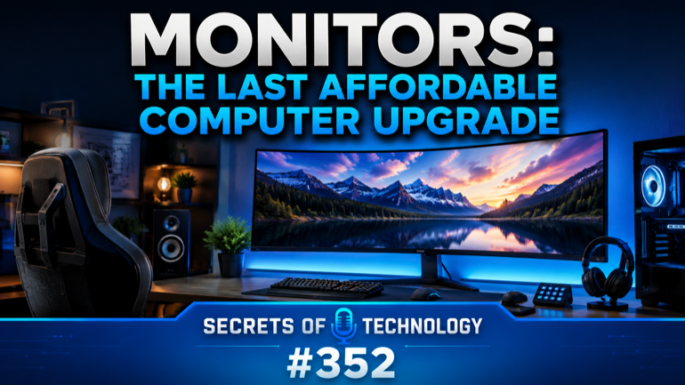
TEC352: Monitors are the last computer upgrade that’s still cheap. RAM prices spiked, storage spiked, GPUs and CPUs went through the roof, and the one part that quietly got better and stayed affordable is the screen on your desk.
Dom Bettinelli, Pat Scott, and Fr. Andrew Kinstetter spend the first half of this episode turning a confusing spec sheet into a short list of things that actually matter when you shop for a monitor.
Start with size. For most people 27 inches is the sweet spot, 24 inches works for a tight desk, and 32 inches and up gets specialized. Then resolution: at 27 inches, 1440p looks great and 4K gives you sharper text, though 4K asks more from your GPU and CPU. The 1440p vs 4K 27-inch question is the one most buyers get stuck on, and the honest answer depends on what’s driving the screen.
Refresh rate trips people up too. 60Hz is fine for office work. 120Hz is the smart, affordable step up. 240Hz only pays off for gaming or heavy video work, and a 4K panel at 240Hz can run about $2,000 versus $400 to $500 at 60 or 120Hz. Do you need 144Hz for everyday work? Probably not.
The panel-type call, OLED vs IPS, is where the money goes. OLED gives you true per-pixel black, the best contrast, and clean motion, but it costs more and likes controlled lighting. LCD, mini-LED, and IPS panels are brighter, cheaper, and better in a sunny room. HDR on monitors is mostly marketing: VESA DisplayHDR 400 means almost nothing, while DisplayHDR 600 on LCD and True Black 400 on OLED start to matter.
Then the stuff people forget. Connectivity is the first thing to check, since the connector on the monitor has to match your computer (HDMI, DisplayPort, or USB-C), and USB-C can carry video, data, and power over a single cable. Color accuracy only matters if you do photo, video, or print work; sRGB is plenty for everyone else. And a good monitor arm or an adjustable height, tilt, and swivel stand beats the base that comes in the box, especially if you want the best monitor for office work without wrecking your neck.
After the buying guide, two Sony headlines land on the same sore spot: you don’t really own the digital things you pay for. Sony is pulling hundreds of purchased movies out of PlayStation libraries when a licensing deal lapses, and it’s phasing out physical game discs in favor of digital-only. Pat, Dom, and Fr. Andrew tie it back to what already happened to music, and to why collectors still want something they can hold.
Stick around for picks of the week, including a rock-solid dual monitor stand and a nostalgic app that turns your home videos into VHS tapes.
 Apple Podcasts
 YouTube
 Spotify
 Amazon Music
 TuneIn
 RSS
RSSGet all new episodes automatically and for free:
Follow by Email | Listen to this episode and subscribe on YouTube.
Help us continue to offer Secrets of Technology. Won’t you make a pledge at SQPN.com/give today?
Links for this episode:
Background and Standards:
- VESA Certified DisplayHDR — Performance Criteria
- VESA: Updated DisplayHDR Standard with DisplayHDR 1400
- VESA: New Performance Levels for ClearMR and DisplayHDR True Black
- RTINGS.com: VESA DisplayHDR Certification explainer
- Mayo Clinic: Office ergonomics — your how-to guide
Connectivity:
Examples:
- Dell UltraSharp 27 Thunderbolt 4 Hub Monitor (U2724DE)
- Dell U2724DE review: A do-it-all display with gobs of ports (PCWorld)
- ASUS ProArt Display PA32UCXR
- ASUS ProArt PA32UCXR Mini LED review: reference-level color accuracy (Tom’s Hardware)
- LG UltraFine 32EP950-B 4K HDR OLED Monitor (B&H Photo)
- LG UltraFine 32EP950 OLED Pro review (TFTCentral)
Roundups:
- Best monitors 2026: Top picks for gaming, 4K, HDR, and more (PCWorld)
- Best OLED Gaming Monitors 2026 (Tom’s Hardware)
- The 6 Best OLED Monitors of 2026 (RTINGS.com)
Headlines:
- Sony Erases Digital Content From Libraries, a Reminder That You Don’t Own What You Buy (WIRED)
- Players Cancel PlayStation Plus Subscriptions and Organize Boycott Against Marvel’s Wolverine to “Punish” Sony Over Physical Media Phase-Out (LEVEL UP)
- Leave us a review on Apple Podcasts!
- Join the conversation at the StarQuest Facebook page.
- Be part of the StarQuest Discord community at SQPN.com/discord
- Email us feedback or comments to [email protected]
Picks of the Week:
- Pat: Marfa Public Radio Puts You to Sleep — also Boring Books for Bedtime (e.g., the 1897 Sears Roebuck Catalog and The Railway Traveller’s Handy Book)
- Fr. Andrew: HUANUO FlowLift Dual Monitor Stand (13–32″)
- Dom: Cassette: Home Video Player
Want to Sponsor A Show?
Support StarQuest’s mission to explore the intersection of faith and pop culture by becoming a named sponsor of the show of your choice on the StarQuest network. Click to get started or find out more.
Disclaimer: Hosts, panelists, and guests may have a financial interest in the companies discussed through investments or other means. Their opinions and recommendations are not affected and do not present a conflict of interest. We offer this statement in the interest of full disclosure.