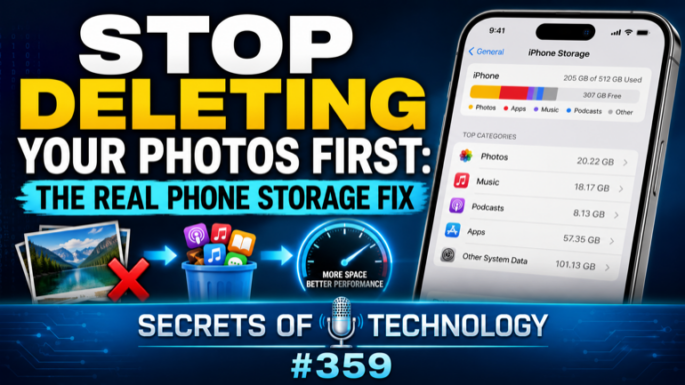
Stop Deleting Your Photos First: The Real Phone Storage Fix
Podcast: Download
TEC359: Deleting your photos first is the wrong move — and it’s usually the first thing people try when a phone says it’s full. Dom Bettinelli, Pat Scott, and Fr. Andrew Kinstetter walk through how to actually free up phone storage without touching the pictures that can’t be replaced.
Dom opens his own iPhone settings live on air (205 GB used out of 512 GB, 447 apps installed) and the panel compares notes: Pat’s audiobooks and message photos, Fr. Andrew’s Audible library and an unexpected storage hog — voice memos of parish council meetings.
The panel works through the real order of operations for clearing phone storage: turning off Live Photos (which triple or quadruple file size), using Apple’s built-in duplicate-photo finder or third-party tools like Slidebox and Remo Duplicate Photos Remover, and enabling Optimized iPhone Storage so full-resolution photos live in the cloud instead of on the device. They flag a subtlety many people miss — photos shared through Messages don’t count as saved to your photo library unless you explicitly download them, so deleting a message thread can quietly delete pictures you never backed up.
Message attachments and group chats turn out to be an underrated first stop: large video files and forwarded images pile up fast, and WhatsApp’s storage manager even flags which files have been forwarded so many times they’re not worth keeping. The panel also debunks a popular myth — force-quitting apps doesn’t free up memory or improve battery life; it does the opposite, since iOS and Android already manage memory better than a user swiping through the app switcher.
Other targets: clearing Safari’s cache, per-app cache cleaning on Android, offloading unused apps instead of deleting them outright, checking the Files app’s Downloads and Recently Deleted folders, and trimming downloaded Siri voices, which can quietly eat a gigabyte or more each. Dom also warns against most “phone cleaner” apps, which Pat calls “spyware in another name” — with one exception, MacPaw’s CleanMyPhone, which the panel trusts.
The rule of thumb for buying your next phone: figure out how much storage you actually use after a real cleanup, then double it.
 Apple Podcasts
 YouTube
 Spotify
 Amazon Music
 TuneIn
 RSS
RSSGet all new episodes automatically and for free:
Follow by Email | Listen to this episode and subscribe on YouTube.
Help us continue to offer Secrets of Technology. Won’t you make a pledge at SQPN.com/give today?
Links for this episode:
- CleanMyPhone (MacPaw)
- Remo Duplicate Photos Remover
- Slidebox
- Manage storage on iPhone – Apple Support
- How to check the storage on your iPhone and iPad – Apple Support (UK)
- iPhone Storage Other: What System Data Really Contains and Why It Keeps Growing
- iPhone System Data and Other storage: What is it and how to get rid of it
- iOS 26 System Data Taking Up Storage? Safe Fixes That Work
- How To Free Up Space on Android: 10 Ways to Clear Storage (2026)
- How to Use Android Storage Tools Like Google Files App to Free Up Space and Improve Android Performance
- Burning Man’s 2026 smart glasses consent policy
- Scientists Turn Plastic Waste Into Edible Cookies (Futurism)
- Leave us a review on Apple Podcasts!
- Join the conversation at the StarQuest Facebook page.
- Be part of the StarQuest Discord community at SQPN.com/discord
- Email us feedback or comments to [email protected]
Picks of the Week:
- Fr. Andrew: WindowSwap
- Pat: Apple MagSafe Charger
- Dom: Kagi News
Want to Sponsor A Show?
Support StarQuest’s mission to explore the intersection of faith and pop culture by becoming a named sponsor of the show of your choice on the StarQuest network. Click to get started or find out more.
Disclaimer: Hosts, panelists, and guests may have a financial interest in the companies discussed through investments or other means. Their opinions and recommendations are not affected and do not present a conflict of interest. We offer this statement in the interest of full disclosure.